Getting Started
Welcome to MUSE — an evidence-based impact planning tool built by Beacon Labs. MUSE helps you create logic models backed by research evidence.
What is MUSE?
MUSE (Modular Stack of Evidence) bridges the gap between research evidence and real-world impact planning. It enables you to:
- Build visual logic models — Map out how your program activities lead to measurable impact
- Leverage AI — Automatically generate logic models from a simple description of your intervention
- Link research evidence — Connect research to support each step of your logic model
- Save, version, and share — Keep logic models in a workspace, restore earlier versions, and share them with teammates or by link
Who is MUSE For?
MUSE is designed for anyone involved in impact planning and evaluation:
- NGOs and nonprofits — Planning evidence-based programs
- Researchers — Connecting research findings to practical applications
- Impact investors — Evaluating program designs with research backing
- Policymakers — Making evidence-informed decisions
- Digital Public Goods communities — Tracking and verifying impact
Access MUSE
MUSE runs at https://musecanvas.app.
MUSE is available in English and Japanese. Use the language switcher at the bottom of the sidebar to switch at any time.
Browsing evidence and building a logic model by hand on the canvas work without an account. Signing in with Google or GitHub is required to generate with AI, to save logic models, and to share them. See Accounts & Workspaces.
Quick Start: Your First 5 Minutes
- Visit the App — Go to musecanvas.app
- Sign in — Click "Sign in" at the bottom of the sidebar and continue with Google or GitHub
- Navigate to Canvas — Click "Canvas" in the sidebar
- Generate with AI — Click the "Generate Logic Model" button and describe your intervention
- Example: "OSS impact on Ethereum ecosystem"
- Example: "Reducing food insecurity in urban communities"
- Review Your Logic Model — In about a minute, you'll see:
- Color-coded cards representing each stage (Activities → Outputs → Outcomes → Impact)
- Arrows showing causal relationships between stages
- Green edges indicating evidence-backed connections
- Explore Evidence — Click on green edges to see the research evidence supporting each connection
- Save — Click "Save" in the canvas header to store the logic model in your workspace
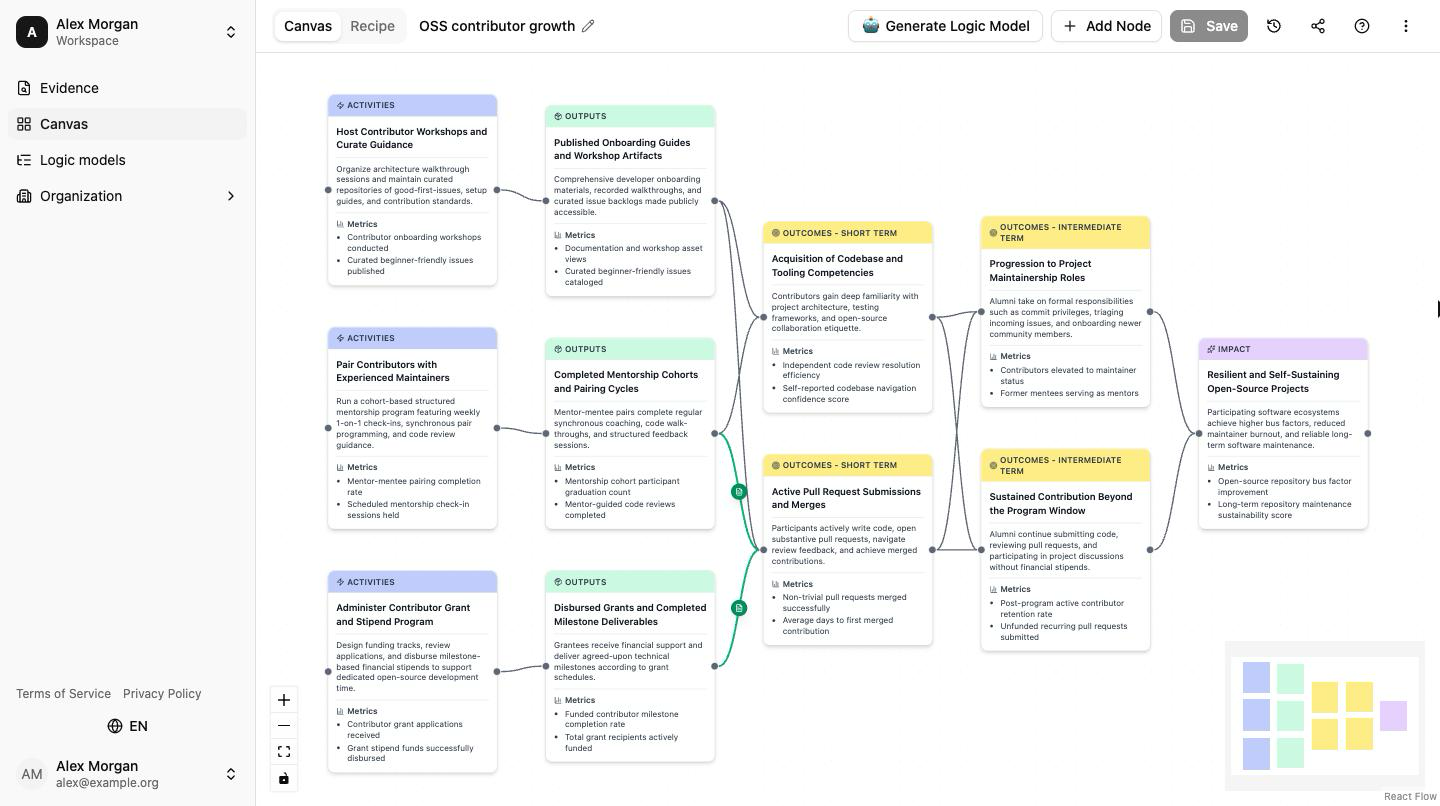
That's it! You've created an evidence-based logic model.